
Powerful software is not just defined by what it can do. It is defined by how easily users can access the information they need. Our recent tmOS update focuses on usability improvements across the platform, helping users navigate faster, configure data views more efficiently and reduce visual noise in daily operations.
Faster Filtering and Navigation
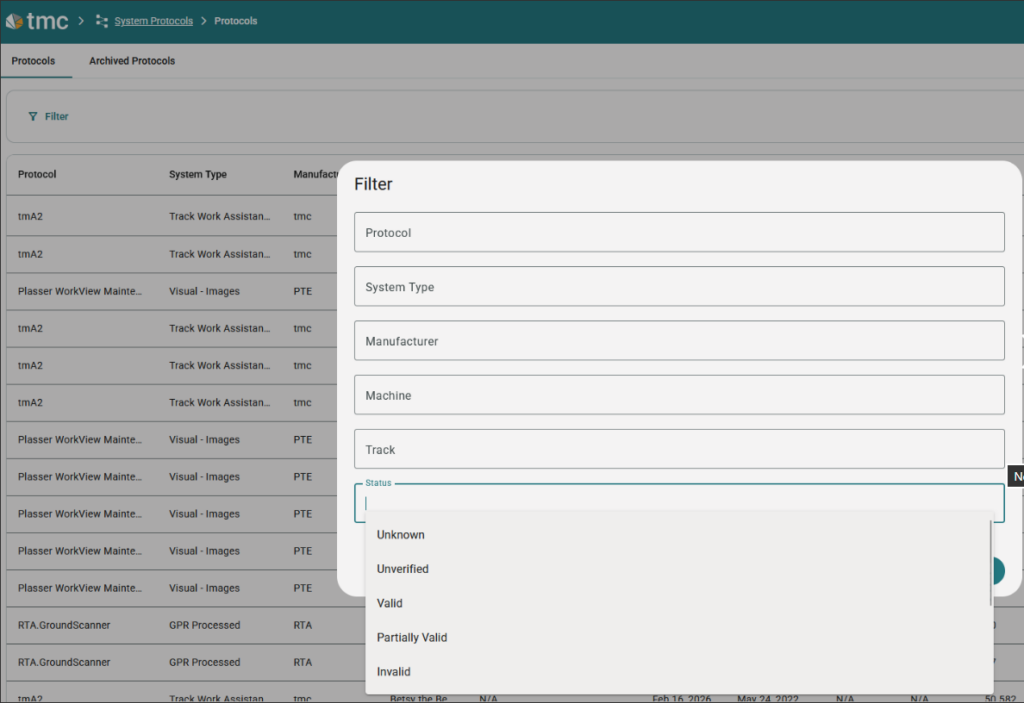
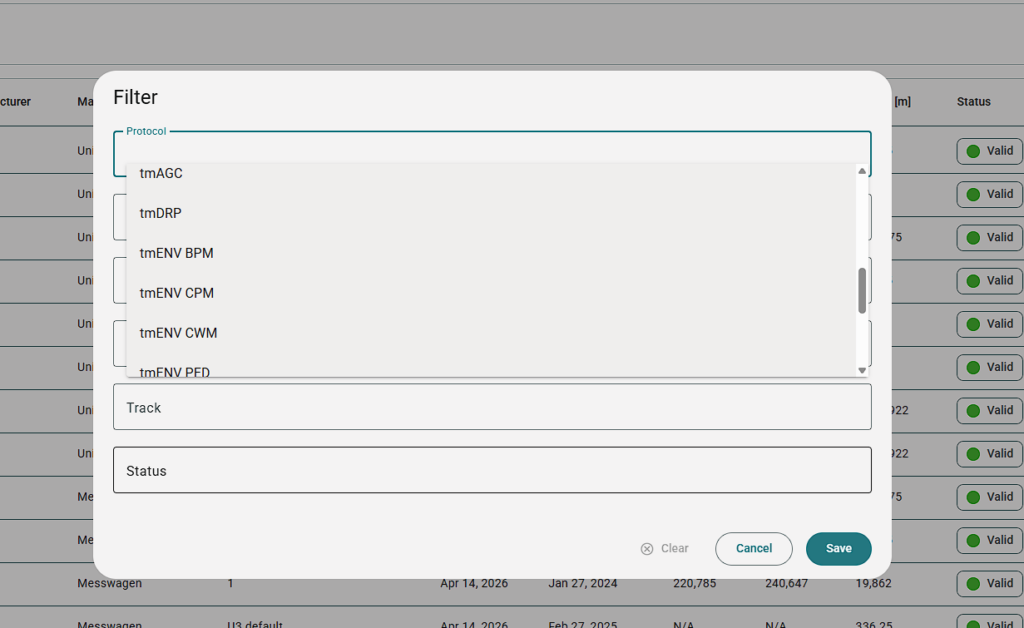
As tmOS continues to grow, finding the right information quickly becomes increasingly important. To streamline daily workflows, the System Protocols filter has been enhanced with two important improvements:
- Protocols are now displayed in alphabetical order, making large protocol libraries easier to navigate.
- Users can now filter directly by validity status, allowing them to focus on valid, partially valid, unverified or invalid datasets with just a few clicks.
These improvements reduce search time and make protocol management more efficient, especially in environments with large amounts of measurement and maintenance data.
Cleaner Interfaces, Better Readability
A key focus of this release was reducing visual noise throughout the platform.
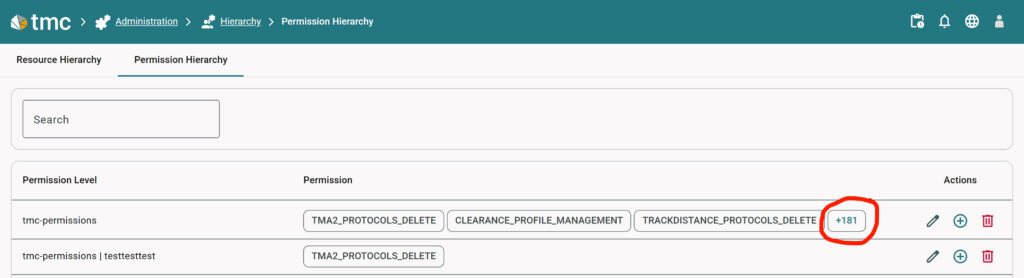
Action menus within tables have been redesigned with a consistent order and visual hierarchy, making common actions easier to find and use. Permission management has also been improved. Instead of displaying long lists of permission chips, tmOS now shows a limited number of visible entries together with a clear “+X” indicator for additional permissions. Users immediately understand the scope of assigned permissions while maintaining a clean and readable interface. Together, these changes improve readability and help users focus on what matters most.
Simplified Chart Configuration
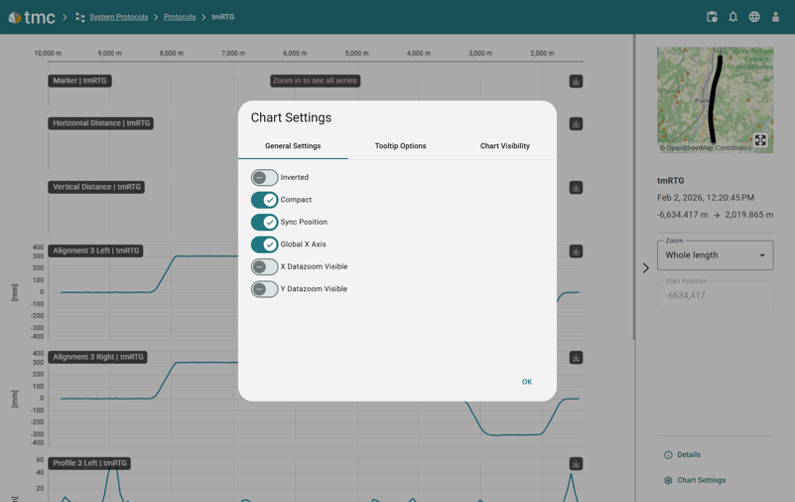
Data visualization is at the core of many tmOS workflows. To make chart customization more intuitive, chart-related settings have been consolidated into a single dialog. General settings, tooltip options and chart visibility controls can now all be managed in one place.
This reduces unnecessary navigation and allows users to configure their data views faster and more efficiently.
More Transparency in Fleet Operations
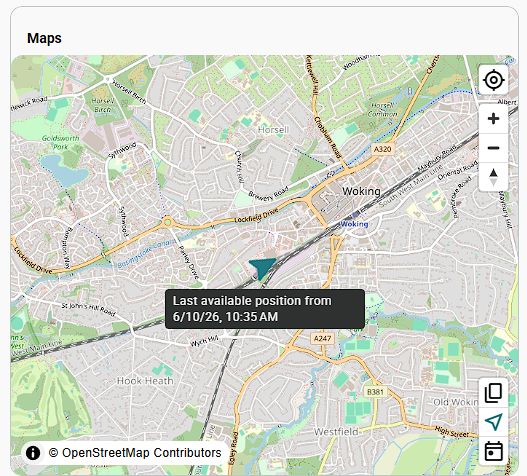
The Machine Cockpit map widget now displays the timestamp of the latest available position directly on the map. This provides immediate context about machine activity and helps fleet managers quickly assess whether displayed information reflects current machine movements or historical positions. Small additions like this can significantly improve situational awareness in day-to-day operations.
Designed for Everyday tmOS Use
Not every improvement needs to be a major new feature. Sometimes the biggest productivity gains come from reducing clicks, simplifying workflows and making information easier to understand. With this release, tmOS continues to evolve not only as a powerful railway data platform, but also as a tool designed around the daily needs of infrastructure managers, fleet operators and maintenance teams. Because better decisions start with better usability.